Voyager Suite
 Breeze
 Virtuoso
 Investment Suite
 RentCafe
 CommercialCafe Suite
 Elevate Suite
 Procure to Pay Suite
  Energy Suite
 Aspire
 RightSource
 Care Suite
 Matrix
 WorkCafe
 Yardi Kube Suite
 ScreeningWorks Pro
  Yardi Corom


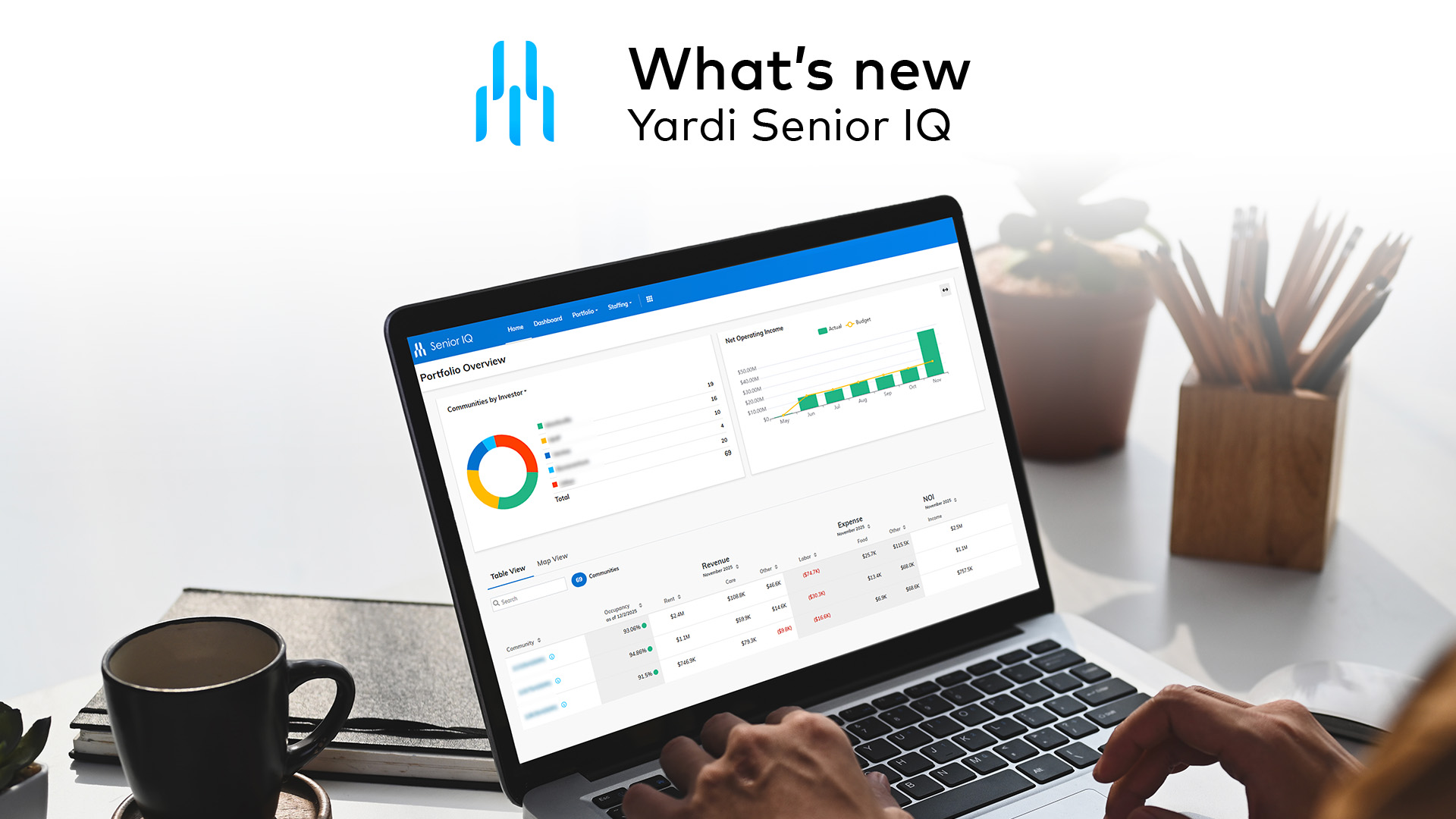
Operators in the senior living industry need more than data — they need clarity. With rising expectations for care quality, financial performance and operational transparency, decision-makers must be able to act quickly and confidently. That’s where Yardi Senior IQ comes in.
Senior IQ is the only business intelligence platform built specifically for senior living providers. It turns complex data into actionable insights across operations, finance, marketing and clinical care. In the last major update, senior living operators got powerful centralized, portfolio-wide dashboards, new Wellness Manager Analytics and Maintenance Analytics dashboards, acuity-based staffing tools and data management capabilities. We’ve continued to roll out enhancements that help teams respond faster and lead with insight. Here are the latest updates.
Make smarter decisions with new census widgets on dashboards
Dashboards now include new and improved census type widgets to help providers understand what’s happening across communities.
- A new Census by Care Level widget has been added to the Yardi Clinical Snapshot, giving you a clearer picture of your resident population by care level
- The Census Stacked Chart has been enhanced on the Portfolio Performance dashboards
- The Percent of Residents by Acuity widget was updated to a stacked chart that shows data at both property and care level
Manage staff & operations more effectively with acuity-based staffing
Ensure staff coverage aligns with resident needs. This staffing analysis tool shows the scheduled staff hours from your active care plans by day of the week and by shift. Then it analyzes care requirements at the resident, community and portfolio level. To optimize scheduling, it provides a recommended caregiver count.
The latest updates help senior living operators get the data to the teams that need it, in the formats that they require. They can export dashboards and widgets under the Acuity Based Staffing screen to either PDF or Excel files.
- Export the Summary by Day/Week and Summary by Resident dashboards to a printable PDF
- Use the Print Dashboard button or the Export Widget button
Customize & manage data more efficiently
Senior IQ updates also include improved property pages and data cleanup.
New marketing campaign analytics section on property pages
Property pages in Senior IQ now include a Campaign Analytics section on the Marketing tab. It shows a list of campaigns, when each campaign was started, success rates and the percentage of emails that were opened. Senior living sales and marketing teams can see marketing performance alongside operational data in one place.
Data cleanup for deactivated communities
Providers can now fully remove deactivated communities from Voyager Senior Housing data, deleting all historical data from Senior IQ.
When a community is no longer active, there are two options:
- Archive it to retain historical data in your dashboards
- Deactivate it to clear all historical records
To queue a community’s data for deletion, toggle the Exclude in IQ option in the Property Configuration of Senior IQ.
Take the next step
With Senior IQ, senior living providers can operate faster and more efficiently by monitoring clinical and financial performance side by side. With the latest updates, you can:
- View what’s happening across communities with census dashboard widgets
- Align staffing with resident acuity in real time by exporting dashboards for easier review
- Track campaign performance alongside operational KPIs
- Clean up historical data from deactivated communities
Want to see what other senior living operators are accomplishing with Senior IQ? Read their client stories.