


 Voyager Suite
 Breeze
 Virtuoso
 Investment Suite
 RentCafe
 CommercialCafe Suite
 Elevate Suite
 Procure to Pay Suite
  Energy Suite
 Aspire
 RightSource
 Care Suite
 Matrix
 WorkCafe
 Yardi Kube Suite
 ScreeningWorks Pro
  Yardi Corom


















Document Management for Sharepoint
Centralize documents & power your team
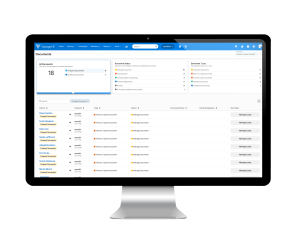
Document Management for SharePoint connects Yardi Voyager with Microsoft® SharePoint® to organize, secure and sync your documents automatically — so your team spends less time searching and more time working.
Features
Centralize document management
Store all documents in a single location that mirrors how your business operates. Centralize documents in your existing SharePoint Online environment to create one reliable source of truth across Yardi Voyager. Eliminate duplicate document storage across systems while giving teams consistent access to files.

Automate document structure & sync
Save time with automated site creation, metadata tagging and security synchronization from Voyager. Improve productivity, collaboration and audit readiness with secure access, version control, retention, optical character recognition and scalable document organization.
Capture email attachments from your inbox
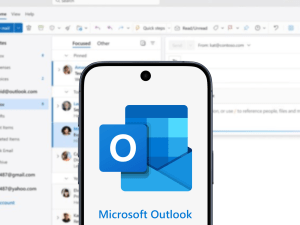
The Outlook add-in lets your team tag and file email attachments, correspondence or both directly from your inbox to the correct SharePoint location. Select the destination, Voyager record and document type files are automatically pushed to the correct SharePoint location — no manual uploading, renaming or navigating folders.

Find any document instantly
Search by property, tenant, lease or vendor using SharePoint’s metadata filters to locate files in seconds. OCR converts scanned documents into searchable text so you can search inside files, not just file names. Less time hunting, more time working.

Align security with your operations
Access permissions set in Voyager apply automatically in SharePoint, so the right people see the right documents without extra configuration. Regional managers, accounting teams and property staff each get the access their role requires. External stakeholders like vendors and owners can be granted secure access through SharePoint links.
Resources







FAQ
What is Yardi Document Management for SharePoint?
Document Management for SharePoint is an add-on for Yardi Voyager that connects your property management data with Microsoft SharePoint Online. It automatically organizes documents by property, tenant, vendor, lease and other Voyager records — so your team always knows where to find what they need.
Who is Document Management for SharePoint designed for?
It’s built for property management organizations of any size or market. Operations teams, property managers, accounting, IT, asset managers and executives all benefit from centralized, searchable document access without needing to log into Voyager.
What markets does it support?
Document Management for SharePoint is available for all Yardi vertical markets, including multifamily, commercial, affordable housing, senior living and more.
Do we need to have Microsoft SharePoint already?
Yes. Document Management for SharePoint requires an existing Microsoft SharePoint Online environment through Microsoft 365. On-premises SharePoint installations are not supported. If your organization already licenses Microsoft 365, you likely already have access to SharePoint Online.
Does Yardi provide or manage our SharePoint environment?
No. Documents are stored in your SharePoint environment, hosted by Microsoft. Yardi sets up a dedicated SharePoint site during implementation and connects it to Voyager, but SharePoint itself is licensed and managed through Microsoft.
How is this different from using attachments in Voyager?
Voyager attachments offer basic file storage accessible only through Voyager screens. Document Management for SharePoint adds enterprise-grade capabilities: metadata-driven search, OCR, version control, external sharing, eSignature support, workflow automation and collaboration through Microsoft 365 — all accessible inside or outside Voyager.
How often does data sync between Voyager and SharePoint?
Synchronization occurs nightly. Attachments uploaded directly to Voyager carry over to SharePoint instantly. Administrators can also trigger a manual sync on demand when needed.