


 Voyager Suite
 Virtuoso
 Investment Suite
 RentCafe Suite
 REACH by RentCafe
 CommercialCafe Suite
 Elevate Suite
 Procure to Pay Suite
 Aspire
 Yardi Kube Suite
 Yardi Corom











Data Connect
Don’t just collect data, connect it
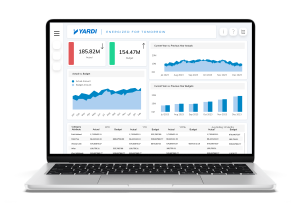
Customise your data and get insights like never before. Yardi Data Connect provides a secure feed from Yardi Voyager to Microsoft® Power BI, enabling infinite customisations and incorporation of third-party sources. Ready to unlock the power of your data?
Features
Real-time insights, tailored to your business
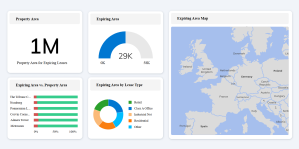
Seamlessly connect Yardi Voyager with Microsoft® Power BI to build custom dashboards, unify data from multiple third-party sources, and empower teams with secure, intuitive reporting in your own Microsoft® Azure environment.
Smarter, faster decision-making
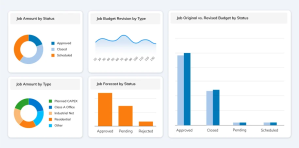
Schedule automatic data refreshes from Voyager and access pre-built dashboards featuring hundreds of customisable metrics. Easily tailor reports by asset type, region, portfolio, or team, and drill down into the insights that matter most – in real time.
Own your reporting experience
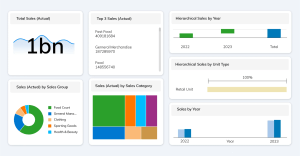
Customise dimensions and measures to match your KPIs, centralise financial, operational, and leasing data, and eliminate version control issues with synced, live information.
FAQ
Yardi Data Connect is a secure data integration solution that connects Yardi Voyager to Microsoft Power BI. It helps real estate companies visualize portfolio data, create custom dashboards and combine third-party sources for a complete business intelligence view.
Data Connect automates dataflows from Voyager and other sources into Power BI, eliminating manual exports. This ensures timely, accurate information for dashboards, predictive analytics and data-driven decision-making.
Yardi Data Connect includes a starter pack of reports containing key data dimensions and objects most used by real estate owners. Additional Voyager data can be accessed by extending the API pull to include other scripted reports, giving you full flexibility to bring in the data you need.
Yes. Access to dashboards is managed within the client’s Microsoft® environment. Users do not need access to Yardi Voyager to view reports.
There’s no limit. You can build as many dashboards as you need, tailored to different teams, asset types, or performance goals.
Yardi Data Connect requires Microsoft Azure and Power BI. You will need Power BI licenses for any users accessing Yardi Data Connect data or reports.
Most clients begin collecting insights on day one and then expand with custom metrics and reports. Data Connect includes a starter pack with hundreds of prebuilt data points, dashboards and visuals.
Data Connect honours Voyager’s property-level security and adds row-level and workspace-level protections in Power BI. This ensures only authorized users can access specific property or portfolio information.